Press kit
The official name, a description you can quote, verified facts, the logo and screenshots. Everything here may be used to write about or link to Pretzel PDF.
Name and address
The product is called Pretzel PDF, written exactly like that. Its address is pretzelpdf.app.
In one sentence
Pretzel PDF is a free PDF editor that runs in the browser, so you can fill in and sign a PDF with no account and without uploading the file.
In one paragraph
Pretzel PDF is a free online PDF editor for filling in and signing documents. It opens a PDF inside the web page and does all of the work on the visitor's own device: typing into form fields, adding text anywhere on a page, check marks, dates, pictures and a signature. Because the file is never uploaded, there is no account, no email field and no paid plan, and the saved PDF carries no watermark. The site also offers official blank forms, starting with the IRS Form W-9, that open in the same editor with notes taken from the form's own instructions.
What it does, with links
- Fill out and sign any PDF: type into form fields or anywhere on a page, add check marks, dates and pictures, cover and correct, strike out or underline.
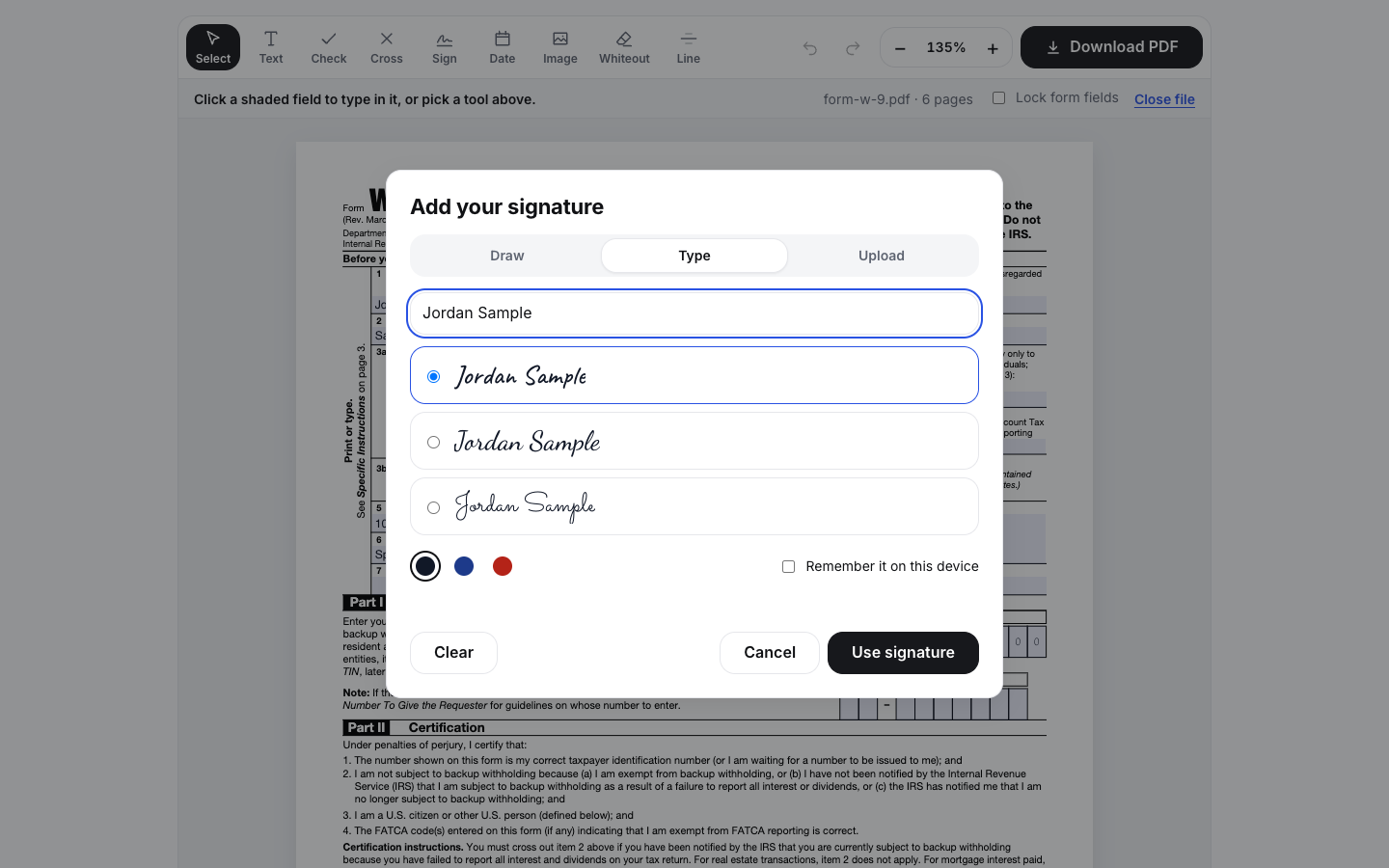
- Sign a PDF: draw a signature, type it, or upload a photo of one; the signature window opens as soon as the file does.
- Fill out IRS Form W-9: the current official form opens ready to fill in, with notes on each line.
Using these materials
You may use the logo and the screenshots below to write about, review or link to Pretzel PDF. Please do not alter the logo, and do not use it in a way that suggests Pretzel PDF sponsors or endorses something. Pretzel PDF is not affiliated with Adobe or with any government agency, so please do not describe it as an official source of government forms.
Logo
The mark is a signature above a blue line, on a near-black rounded square. Download it as PNG or SVG.
Screenshots
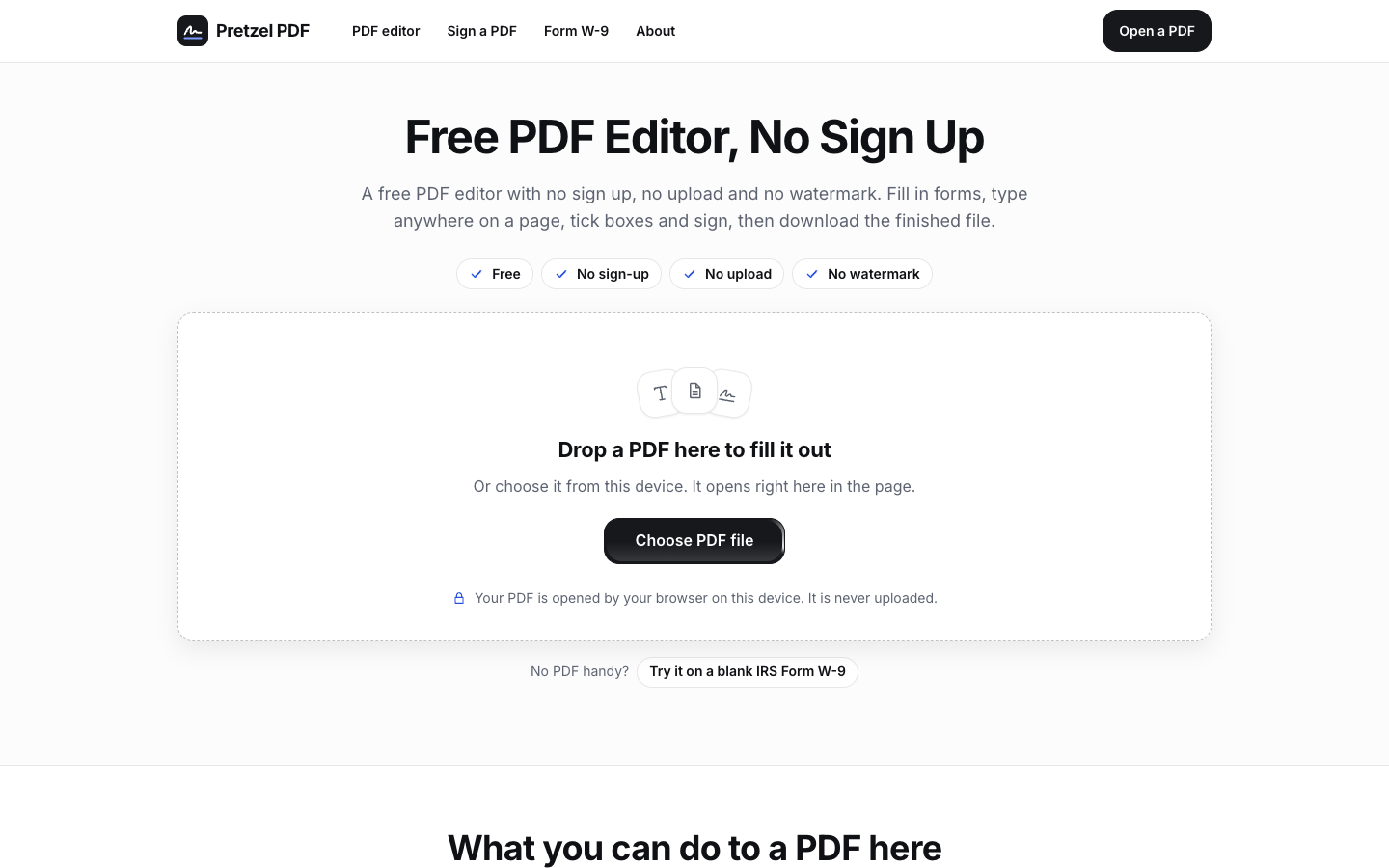
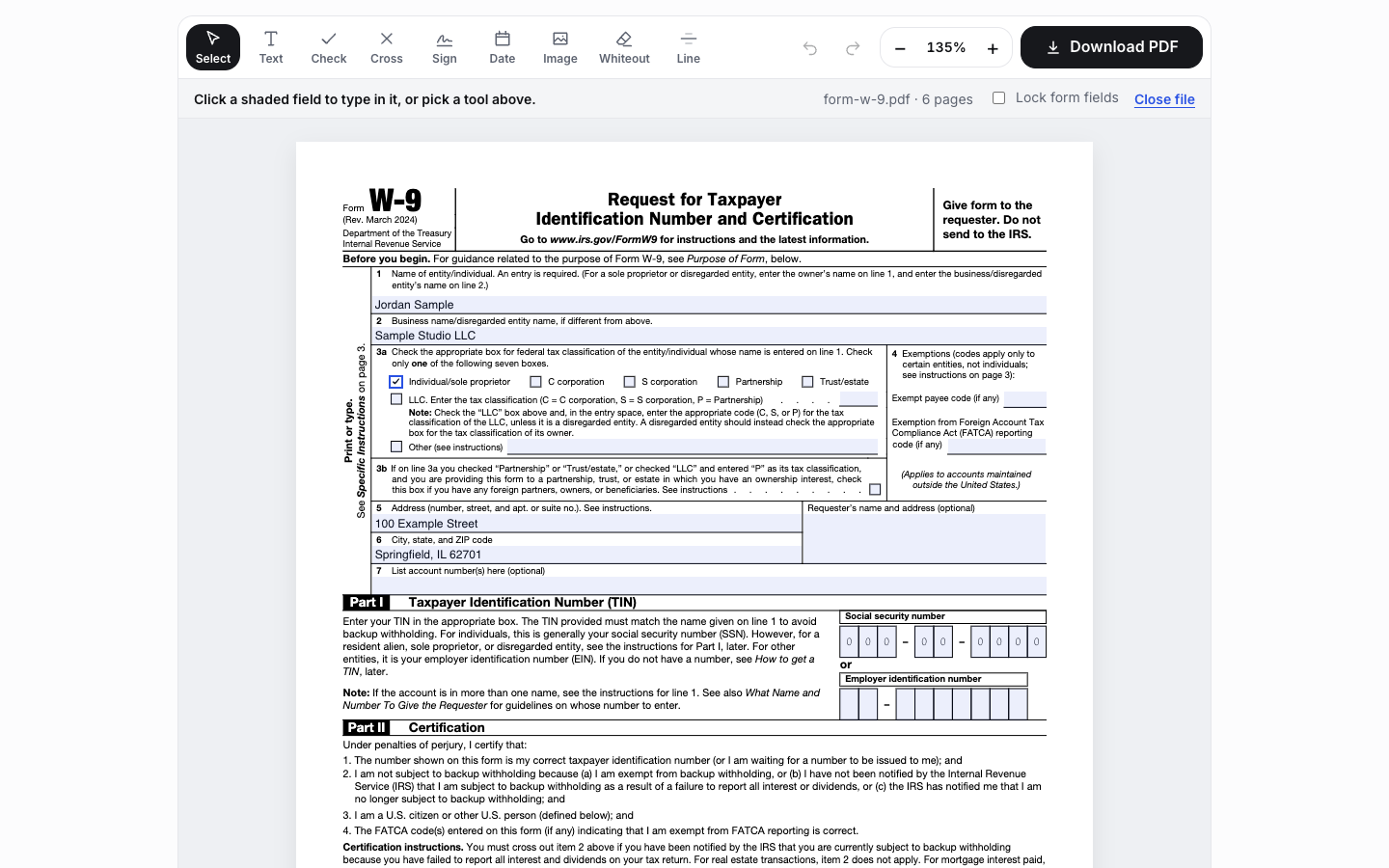
These are unedited captures of the live product. The form in them is the official blank W-9, filled in with made-up sample details.
Product facts
Each fact is checked by an automated test before a release. Last checked 2026-11-26.
- Price
- Free, with no paid plan
There is no trial, subscription, credit system or card field anywhere on the site. - Sign-up
- None, and no email field
A first-time visitor goes from the home page to a saved PDF without any account step. - Upload
- None: your browser opens and saves the file
Between choosing a file and saving it, nothing from the file leaves your device: not its contents, not its name and not what you type. The page does load its PDF code and fonts from public CDNs, counts visits, and reports anonymous usage events such as "a PDF was opened" with its page count; the privacy policy lists all of it. - Watermark
- None
The saved file holds the original pages plus what you added, and nothing else. - Opens
- PDF files, including password-protected ones
A PDF that needs a password to open is unlocked in the browser once you enter it. Pictures placed on a page can be PNG, JPEG, WebP or GIF. - Saves
- A PDF, named like yours with "-filled" added
Form answers are written into the PDF's own fields, so other PDF software can read and change them unless you choose Lock form fields. - Largest file tested
- 500 pages, and 200 MB
Measured in desktop Chrome. The site sets no limit of its own; your device does the work, so a phone runs out of memory sooner than a computer. - Files at a time
- One
- Kept on a server
- Nothing
A signature is stored in your own browser only if you tick "Remember it on this device", and you can delete it there. - Signature
- A picture of your signature on the page
It is not a certificate-based digital signature and keeps no record of who signed or when. - Offline
- Saving still works if the connection drops after the file is open
- Tested in
- Chrome, Firefox and WebKit (the engine inside Safari), at computer and phone widths
These are automated tests. Real phones have not been tested one by one. - Language
- English
- Business use
- Allowed, for personal and business documents alike
What it is not for
- Rewriting the text that is already in a PDF
- Redaction: Whiteout hides content but leaves it inside the file
- Certificate-based digital signatures, or a record of who signed and when
- Forms that only show a "Please wait..." page (XFA forms made for Adobe Reader)
- Scanned pages that need text recognition (OCR)
- Merging, splitting, compressing or converting PDFs
Contact
Email hello@pretzelpdf.app. The contact page lists what to include when a PDF does not work.